It can. Valve's own VAC guidance treats third-party changes to Dota 2's core files as cheating and warns players to be careful with custom skins, so no skin changer, ours included, can promise a ban-free account; what changes the odds is how the tool touches the game and what else it does (Steam Support, VAC System).
Disclosure: Dota2Cheat and MetaSkins share an owner, so MetaSkins is our own project and every MetaSkins link on this page goes to us.
Quick answer
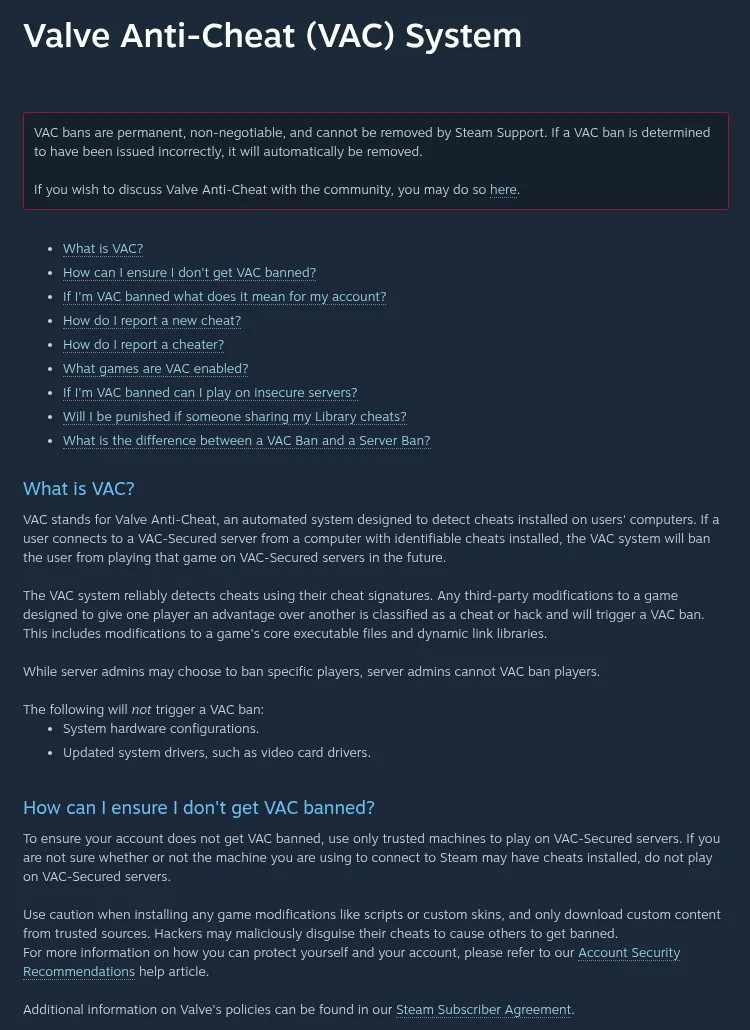
- What Valve says: modifications that give one player an advantage are cheats, that includes changes to core executables and DLLs, and players should "use caution" with custom skins (Steam Support).
- Why forums argue: "skin changer" means four different things, from Workshop items to bundles that also read hidden match data. Same word, very different risk.
- How to decide in a minute: check what the tool changes, whether it reads hidden game state or plays inputs for you, and where you download it. The checklist is below.
Short answer: yes, a skin changer can get you banned
Let's not dance around it. A skin changer can get a Dota 2 account banned, and nobody can honestly tell you "never" or "always".
Here is why there is no flat answer:
- Valve's rule is about what a modification does (advantage, core files), not about the word "skin" (Steam Support).
- Valve says it does not disclose which cheats it detected, so you will never get an official allow-list (Steam Support, "I've been VAC banned").
- Tools sold as "skin changers" range from pure visuals to programs packed with match data. They don't carry the same risk.
So the useful question is not "skins: yes or no". It's "what exactly does this tool do to my client".
What Valve and Steam actually say
Forum threads give opinions. These are the three official texts, with dates, that the whole debate comes back to.
1. Steam Support, "Valve Anti-Cheat (VAC) System" (page last updated 2021-07-13 per its timestamp; read 2026-10-27):
"Any third-party modifications to a game designed to give one player an advantage over another is classified as a cheat or hack and will trigger a VAC ban. This includes modifications to a game's core executable files and dynamic link libraries."
"Use caution when installing any game modifications like scripts or custom skins, and only download custom content from trusted sources. Hackers may maliciously disguise their cheats to cause others to get banned."
2. Steam Support, "I've been VAC banned" (updated 2021-10-07; read 2026-10-27):
- VAC bans are "permanent, non-negotiable, and cannot be removed by Steam Support".
- "VAC bans cannot be appealed." If a ban was issued incorrectly, it is removed automatically after investigation.
- Valve does "not disclose the cheats that were detected".
- VAC "regularly checks the game files of all users connected to Valve's servers".
3. Dota 2 update, 2024-02-08 (patch text as mirrored on Liquipedia):
"We've rolled out some new cheat detection code… You'll probably notice fewer of them in your games as the automated ban waves roll out."
What's not in any of them: a list of allowed or banned skin tools. Valve gives you one rule (advantage and core-file changes) and one warning (be careful with custom skins). That's the whole official picture. Note too that the 2024 patch text does not name any program.
Why players get opposite answers: not every "skin changer" is the same thing
One player says "used skins for years, fine". Another says "got banned for skins". Both can be telling the truth, because they're usually talking about different kinds of tools.
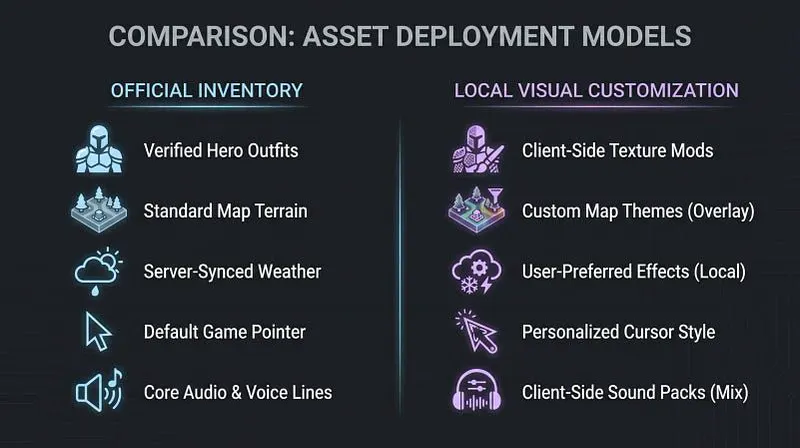
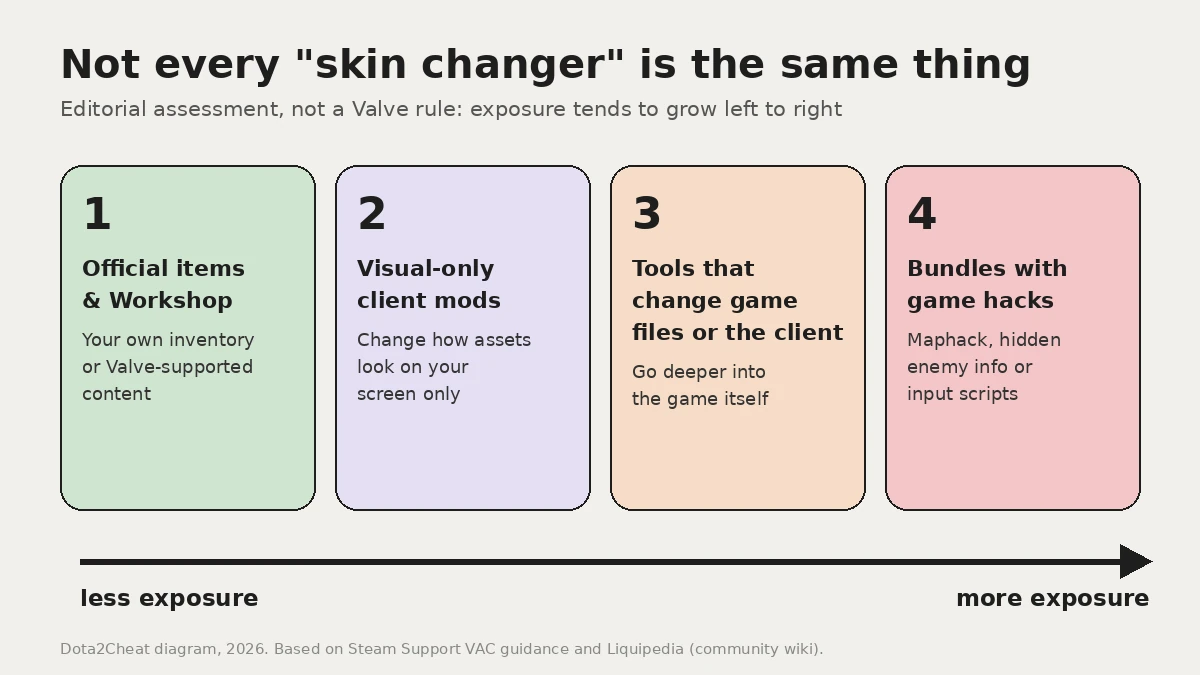
In broad strokes, four things get called a "skin changer":
- Official items and Workshop content. Your own inventory or Valve-supported content. No modification question at all.
- Visual-only client mods. They change how models, terrain or effects look on your screen. Liquipedia's modding page notes that only you see your mods, and that "some extensive modifications could be detected as a cheat by the Valve Anti-Cheat (VAC) System" (Liquipedia, Modding).
- Programs that change game files or work with the running client. This is where Valve's core-files line starts to matter (Steam Support).
- Bundles with game hacks. Skins packed together with features that read hidden game state (maphack-style enemy info, data the client normally keeps from you) or automate inputs (scripts). The Overplus case below is the textbook example.
Liquipedia's ban page also lists cases the community considers fine, but it is a community wiki ("based on community experience"), not a Valve rule (Liquipedia, Ban).
Our read: the deeper a tool goes into the client, and the more it reads hidden game state or plays for you, the higher the risk. That's an editorial assessment, not something Valve has published.
The Overplus case: what the February 2024 ban wave showed
This is the story most "skins got me banned" threads point to.
- The official part. On 2024-02-08 (US time) Valve's "The Dragon's Gift" update said it had "rolled out some new cheat detection code" a few weeks earlier and that "automated ban waves" were rolling out (Valve, Dota 2 news, 2024-02-08; patch text via Liquipedia). The post names no tool.
- Not the same as the 2023 wave. Valve's February 2023 post "Cheaters Will Never Be Welcome in Dota" was a different wave: over 40,000 accounts caught by a honeypot for reading client data hidden during normal play. That post names no tool either (Valve, Dota 2 news, 2023-02-21).
- What the press reported. Coverage from 2024-02-09 onward tied the wave mainly to Overplus users. During the draft, Overplus showed each opponent's most-played and most successful heroes and recent picks, player data Valve had cut off for third-party apps, so users could ban or counter-pick them. It also worked as a skin changer for cosmetics you don't own (GGScore; Dot Esports; GGScore; Dota 2 Times).
- What players claimed. Some banned players, and people speaking for them, said they had only used the skins and had the stats feature switched off (Dota 2 Times). That's their account, not a Valve finding.
The lesson isn't "cosmetics are banned". It's that the whole program counts, not just the tab you clicked. If a tool can pull hidden data, owning it for "just skins" doesn't change what it is.
VAC vs player reports: two different ways to lose games
People mix these up all the time.
- VAC is automated, and its bans are permanent with no appeal (Steam Support).
- Reports and Overwatch are a separate track about in-match behaviour. Overwatch arrived in Dota 2 with the 2021-01-26 patch (Liquipedia).
- Matchmaking bans and low priority are their own penalties, covered on Liquipedia's ban page.
A skin that only you can see can't be reported by the guy in your lane, because he never sees it (Liquipedia, Modding: "Only you will be able to see your mods"). So for a visual tool, the real question is how it works with your client, not your teammates' report button.
"Locally modified game files detected" is not a ban
If you've seen this message, relax a little. According to players on the Steam forums, it stops you from playing with changed files, but it isn't a VAC ban on your profile (Steam Community thread, 2023). That's user experience, not Valve documentation.
The official fix is simple: remove the mods and run Steam's "Verify integrity of game files" from the game's Properties → Installed Files (Steam Support).
How to judge the ban risk of a specific skin changer
Before you pay for anything, run it through these questions. This checklist is about ban risk only, not install quality or FPS.
- What does it change? Only visuals on your screen, or something else too?
- Does it read hidden game state or play for you? Maphack-style enemy info, data the game normally hides from you, or scripts that automate inputs. That's what Valve's "advantage" rule is written against, and the Overplus wave hit a tool that showed opponents' hero stats during the draft. That's the big red flag. Advice-style extras built on what you can already see (build or draft suggestions) are a different category, but Valve publishes no list for those either, so read what a tool actually does before you install it.
- Where does it come from? Steam's own advice: "only download custom content from trusted sources" (Steam Support). Fake mods are also a classic malware bait: Kaspersky detected over 19 million attempts to spread malicious or unwanted files disguised as popular games between April 2024 and March 2025, and its advice is to get mods and tools only from official sources (Kaspersky, 2025-06-09). The same goes for full cheat suites: our Melonity Dota 2 cheat review links only to the official site.
- What does the seller promise? "100% undetected" is a reason to be careful, not relaxed. Nobody outside Valve knows what VAC checks next.
- Which account? Your main with a real inventory and years of games is the account you should think hardest about.
- Can you try before you pay? A trial, real support and a clear cancel or refund path say a lot about a vendor. It's the same yardstick we use in our Melonity vs Umbrella comparison.
Common mistakes in forum threads:
- treating "client-side" as a synonym for "safe";
- turning off one feature and assuming the rest of the program doesn't exist (see Overplus);
- downloading a "skin pack" from a video description.
Where MetaSkins fits
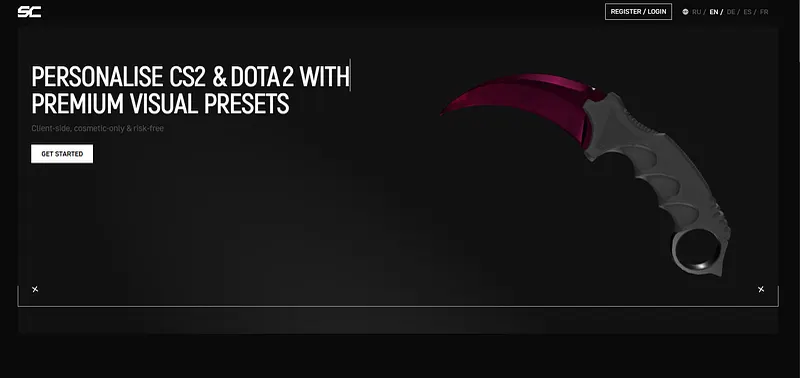
If what you want is skins, and only skins, MetaSkins is our pick. Here's why, in the developer's own words and from its public page (metaskins.gg/en, checked 2026-10-27):
- Positioning. MetaSkins describes itself as "client-side, cosmetic-only" and as "subscription desktop software for client-side cosmetic skins and HUD overlays. No item trading". That's the vendor's description, not a guarantee from us.
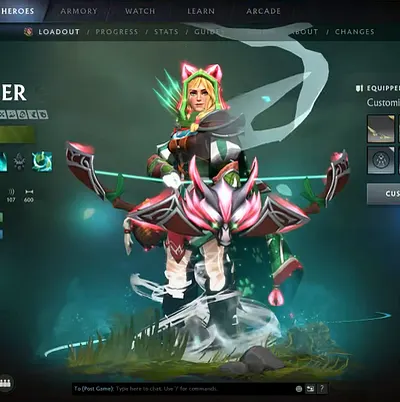
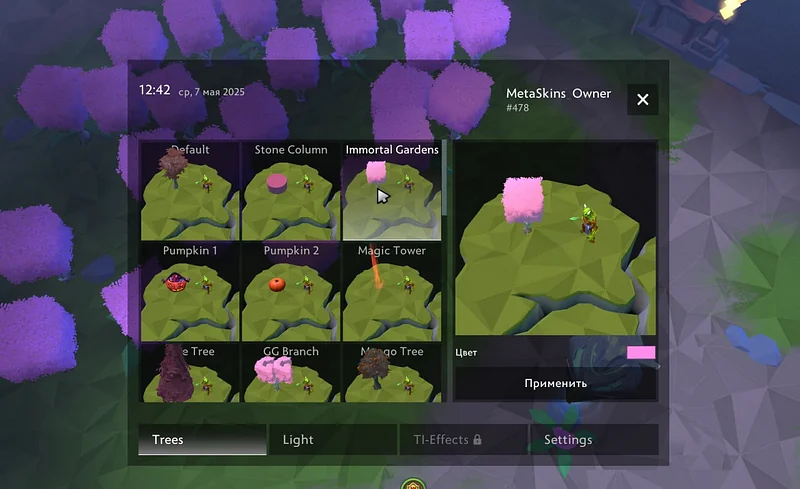
- Dota 2 scope. "Try arcanas, immortals & taunts locally", plus "Exclusive terrains & effects — switch landscapes and ambient effects instantly".
- Try first. A "Free 10 day Trial", so you can see everything before paying.
- Low-stress terms. The page lists "automatic updates" and a "14-day refund"; support is through "Contact support" and [email protected].
- Your language. The site runs in English, Russian, German, Spanish and French.
Want a full Dota 2 cheat suite instead? That's a different call, and our best Dota 2 cheats ranking covers it.
What about bans? Short version: no skin tool can promise you a clean account forever, and MetaSkins doesn't need to. Its skins sit at the low-exposure end of the line above: visuals on your own client, no item trading. Combine that with the checklist (main account, trusted download, trial first) and you're making an informed call, not a blind one.

Try MetaSkins free for 10 days.
Our verdict
Yes, a skin changer can get you banned, and anyone selling you "zero risk" is selling a feeling, not a fact. Valve's rule is clear: modifications that give an advantage or change core game files trigger VAC, VAC bans are permanent and can't be appealed, and Valve doesn't say what it detects (Steam Support; Steam Support). The 2024 ban wave that made headlines was tied by the press to a tool that also showed opponents' hero stats during the draft, not to the idea of a custom look on your own screen.
So our call is simple. If you want arcanas and terrains without paying market prices, pick a tool built around cosmetics, download it only from its official site, and run the trial before you commit your main. For us, that tool is MetaSkins. It's our own project, which is exactly why we won't promise you more than Valve's rules allow.
FAQ
Can you get VAC banned for a skin changer in Dota 2?
Yes, it's possible. Steam Support says third-party modifications that give an advantage, including changes to core executable files and DLLs, are treated as cheats and trigger VAC bans. So, does a skin changer get you banned in Dota 2 every time? No, but no tool can rule it out.
Can other players see skin changer skins in Dota 2?
No. Local mods are visible only to you, as Liquipedia's modding page puts it: "Only you will be able to see your mods." Your teammates and opponents see the normal look.
Are cosmetic mods bannable in Dota 2?
Valve publishes no allow-list for cosmetic mods. Its VAC page warns players to use caution with custom skins and to download custom content only from trusted sources. Risk grows with how deep the tool goes and what else it does.
Is "locally modified game files detected" a VAC ban?
According to players on the Steam forums, no: the message blocks play until the files are restored, and it is not a VAC ban on the profile. Steam's official fix is to remove the mods and verify the integrity of game files.
Can a VAC ban for a skin changer be appealed?
No. Steam Support says VAC bans cannot be appealed and are not removed manually. If a ban was issued incorrectly, it is removed automatically after investigation.
Did Valve ban Overplus users for skins?
Valve announced new cheat detection on 2024-02-08 without naming any tool. The press linked the ban wave to Overplus, which also showed opponents' hero stats during the draft on top of its skins. Some banned players said they had used only the skins.
Is MetaSkins safe from bans?
MetaSkins sits at the low-exposure end: it describes itself as client-side and cosmetic-only, it changes cosmetics locally on your own client, and other players don't see them. Its 10-day free trial lets you see what it does before you pay. Valve doesn't officially approve any third-party program, MetaSkins included.
Found an outdated claim or broken source? Send a correction request.